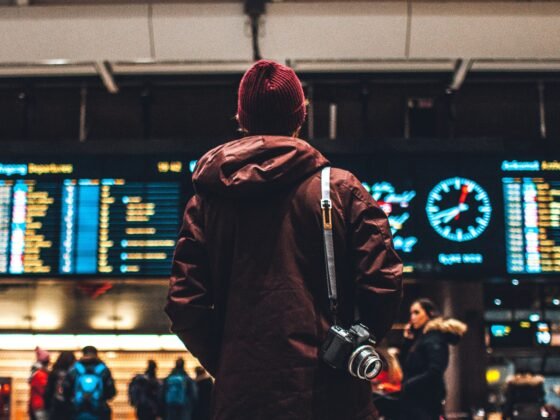

Japan rewards travellers who plan ahead, and your phone is part of that plan. Within an hour of landing at Narita or Haneda you may need a train route into the city, a message to your hotel and an address to show a taxi driver. Later in the trip, the same phone carries rail tickets, restaurant bookings and the map that gets you from a station exit to a side-street inn.
Free Wi-Fi is easy to find in airports, large stations and city hotels, but it drops away on trains between cities and in smaller towns. Most visitors are better off with mobile data of their own. If your phone supports eSIM and is carrier-unlocked, you can compare eSIM options for Japan before you fly and install a plan at home, so data is ready when you switch on your phone after landing. Check the data allowance, validity period and activation rules for any plan before you buy.
Before You Fly: Check Your Phone
Not every handset supports eSIM, and phones bought on a plan may be locked to the original carrier. Check both in your phone’s settings or with your carrier a few weeks before departure. Install the eSIM while you are on reliable home Wi-Fi and read when the plan starts counting days, as some begin on installation and others on first connection in Japan.
If your bank sends security codes by text, keep your home SIM active in the phone as a second line, but switch off data roaming on it so you are not charged for data at home rates. Japan’s tourism board has a useful overview of phones, SIM cards and making calls in Japan, including the emergency numbers: 110 for police and 119 for fire and ambulance.
Trains: IC Cards, Map Apps and Station Exits
Japan’s rail network is easy to use once you have two things working: a payment method and a route planner. Rechargeable IC cards such as Suica and PASMO cover trains, subways, buses and many convenience stores in the main cities. Some phones can add Suica to the phone wallet, which lets you top up on the go instead of queuing at a machine.
Map apps show which line to take, which platform to wait on and, just as usefully, which exit to use. Large stations such as Shinjuku and Tokyo have dozens of exits, and choosing the right one can save a long walk above ground. Tokyo’s trains are run by several operators, including JR East, Tokyo Metro and Toei, so a route may involve a transfer between companies. Live data helps you catch delays and platform changes as they happen.
Hotels and Check-In
Arrival day is when a working connection matters most. Save your hotel’s address in both English and Japanese, along with the booking confirmation, as a screenshot or offline file. Taxi drivers often prefer to enter an address or phone number into their navigation system, and many smaller hotels and inns give check-in instructions by email or messaging app.
If you are staying in a traditional inn, ask ahead whether it has Wi-Fi in the rooms. Many do, but older properties in the countryside or in historic districts may have a connection only in the lobby, or none at all.
Kyoto and Day Trips
Kyoto is where many visitors slow down, wandering temple lanes, tea houses and quiet residential streets. A map with live data helps you find your way through those back streets without stopping at every corner. For a sense of the city’s customs before you go, PureTravel’s piece on the secret language of Kyoto is worth a read.
Day trips from Kyoto and Osaka to places such as Nara, Himeji or the hills around Arashiyama are easy by train, but signal can be weaker in mountain valleys and on rural lines. Download offline maps for each area the night before, and keep train times and tickets saved on the phone in case the connection drops.
A Short Checklist
Confirm your phone supports eSIM and is unlocked. Install your plan on home Wi-Fi and note when it activates. Turn off data roaming on your home SIM. Save hotel addresses in Japanese and English. Download offline maps for each city and day trip. Carry a small power bank, because a day of maps, photos and tickets can drain a battery quickly.
With those steps done before you leave, your phone becomes a reliable travel companion rather than one more thing to sort out at the airport.
Image: Unsplash, Sorasak